Kaomoji.moe 3
Instant access to thousands of fun and unique Japanese text emoticons!


- Communities
- —
- Kaomoji sent
- —
- Kaomoji available
- —
Across Slack and Discord · Cached for 6 hours
How it works
Kaomoji.moe is a Slack App that you interact with by using slash commands. This list details all supported commands and features.
/kaomoji
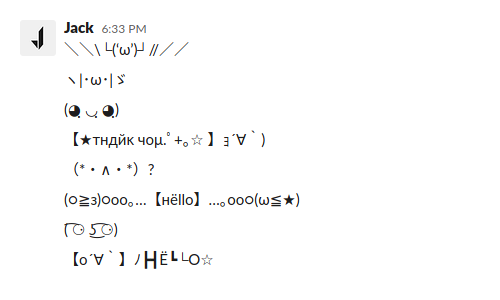
Using this command will attempt to match the text you send it to an appropriate kaomoji category and send a random one for you.
/kaomojis
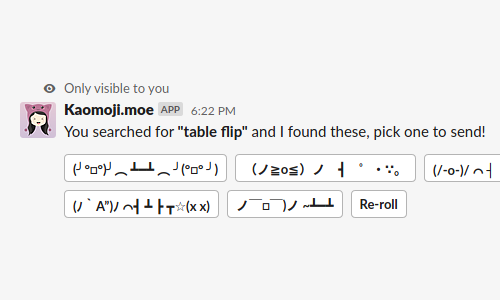
Like the /kaomoji command, this one lets you preview a selection of kaomoji before sending them.
Feedback
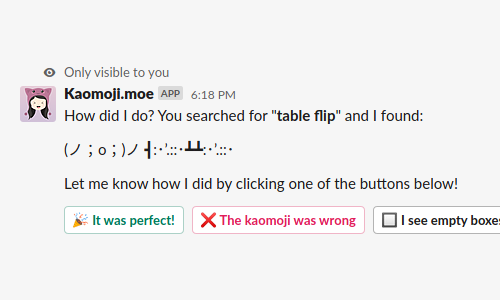
Sometimes when using /kaomoji I'll ask you to provide feedback about what I found. Responses here are automatically fed back into the Kaomoji.moe platform and used to improve Kaomoji for everyone else!
Modes
Kaomoji.moe comes with two modes, Snail and Unicorn. You’re free to switch between these whenever you like.
Snail

Unicorn

Install
Make sure that everyone who wants to use the Slack App signs in here at least once!
Try /kaomoji and /kaomojis to get started.
Why have these modes if it’s free?
These modes exist so I can let you know about Australian causes or charities that are worth supporting. Currently that’s Bush Heritage Australia, a leading conservation not-for-profit protecting ecosystems and wildlife in landscapes across Australia. A reminder is shown in the Slack App when using Snail mode.
If you are someone that truly finds a lot of value and enjoyment using Kaomoji.moe and you’d like to give something back then I’d be extremely grateful if you made a donation to Bush Heritage Australia.
– Jack